![MetaOptima Logo.png]](https://help.dermengine.com/hs-fs/hubfs/External%20Marketing%20Resources%20Folder/Logos/MetaOptima%20Logos/MetaOptima%20Logo.png?height=40&name=MetaOptima%20Logo.png)
Overview
In DermEngine, each spot is assigned a type to help categorize and organize lesions within a patient's profile. The available spot types include Mole, Hair, and General.
If a spot has been assigned the wrong type, you can update it directly from the patient's profile
Steps to Change a Spot Type
- Open the patient's profile in DermEngine.
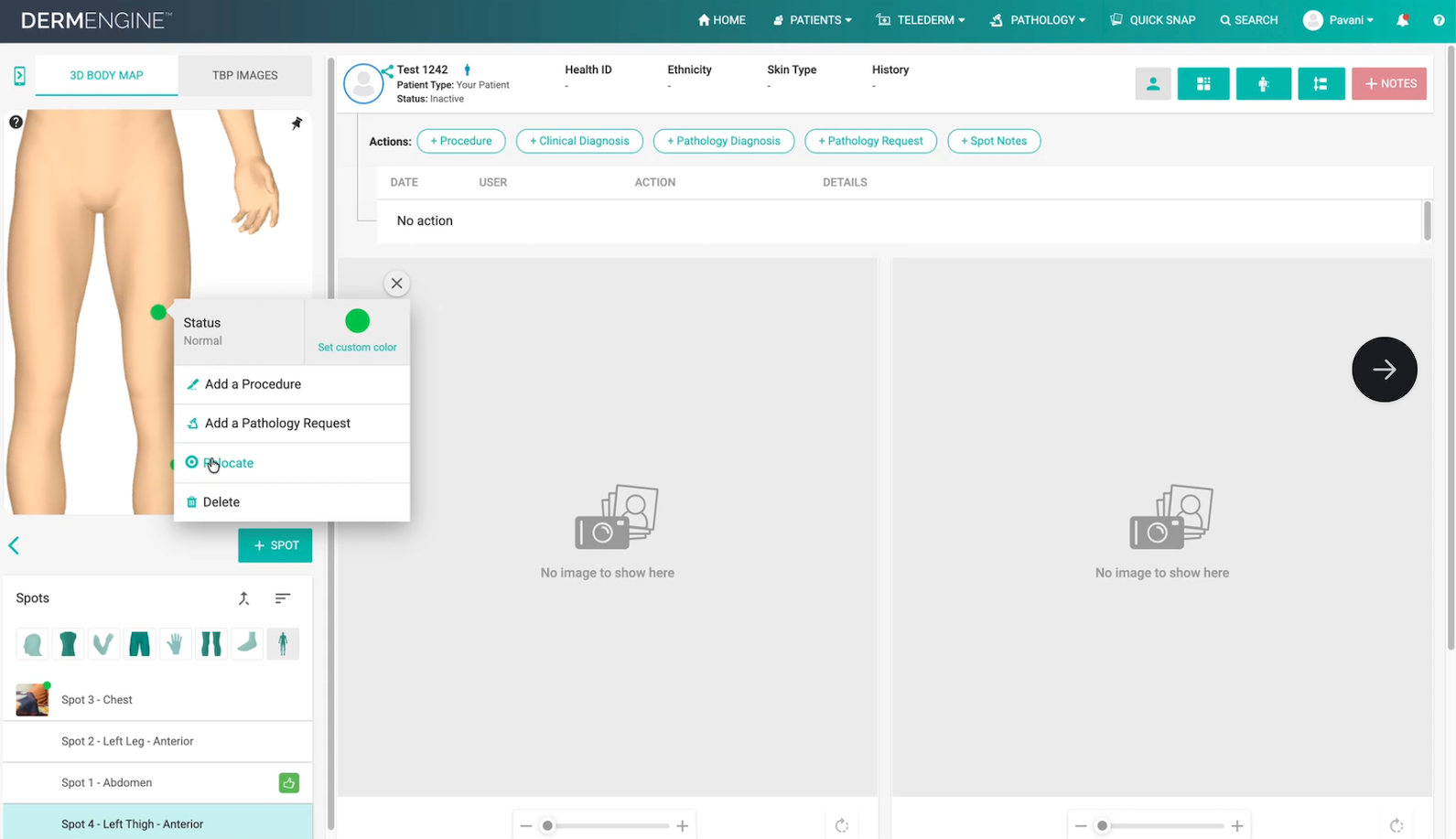
- Locate the spot you want to update.
- Right-click on the spot to open the available options.
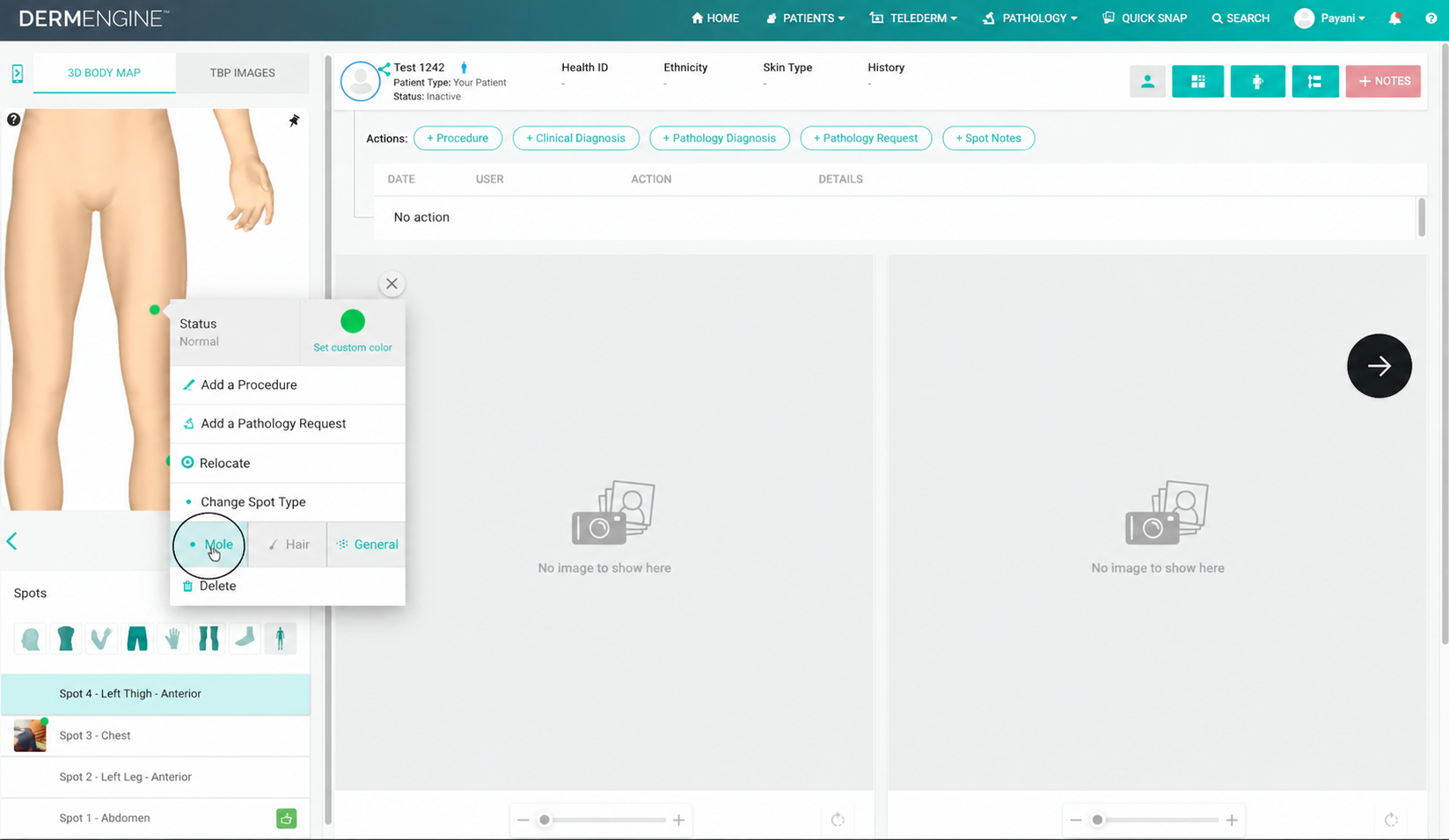
- Select Change Spot Type from the menu.
- Choose Mole from the list of available spot types.
The spot type will be updated once your selection is made.
Important Notes
- Only change the spot type when Mole accurately reflects the lesion being documented.
- Changing the spot type updates its classification within DermEngine but does not replace clinical assessment.
If you have any questions or need assistance changing a spot type, please contact the DermEngine Support team.