![MetaOptima Logo.png]](https://help.dermengine.com/hs-fs/hubfs/External%20Marketing%20Resources%20Folder/Logos/MetaOptima%20Logos/MetaOptima%20Logo.png?height=40&name=MetaOptima%20Logo.png)
If you are receiving this error message when opening the OptimaScap app on your MacBook.
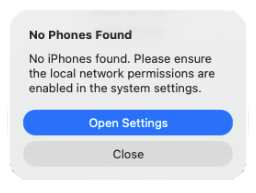
The issue you are seeing is most likely related to your Mac’s network environment. This can result in:
- The location on your device turning off whenever you launch OptimaScan.
- An inability to establish a pairing connection between the phones and MacBook.
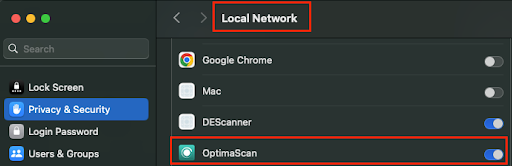
This is expected when system permission updates disrupt background app privileges, and can be resolved by enabling Local Network access for OptimaScan on your MacBook device.